January 30, 2026



 Written by castfloer
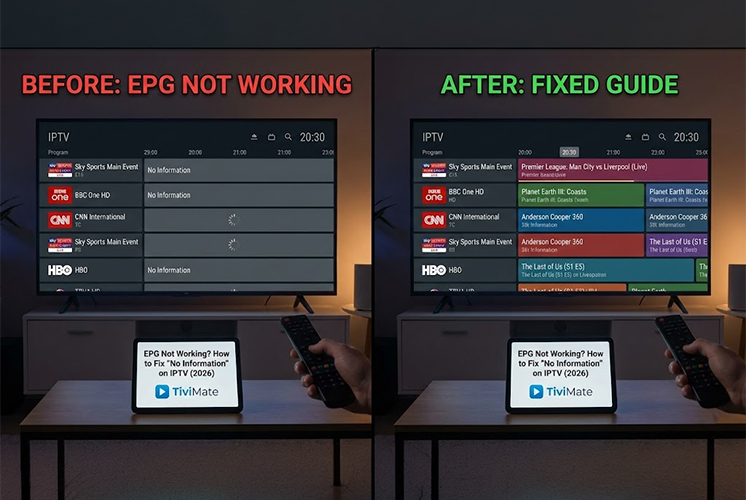
You sit down to watch TV, open your channel list, and every single channel says the same thing: “No Information.”
No movie titles. No kick-off times. Just a blank list.
The Electronic Program Guide (EPG) is the most fragile part of any IPTV service. When it breaks, your Premium TV feels like a cheap broken radio.
The good news? It is rarely a server problem. In 90% of cases, the EPG data is there, but your app just hasn’t “grabbed” it correctly. Here is the 2026 troubleshooting guide to getting your TV guide back in less than 2 minutes.
Your app downloads the guide once a day. If you open the app before the download is finished, it gets stuck on the old (empty) data. You need to force it to update manually.
Does your guide show the wrong time? Maybe the 8:00 PM match is showing as 10:00 PM? This happens because IPTV servers are often located in different time zones (e.g., UK or Netherlands), and your app is confused about your location.
The Fix: Go to your App Settings and look for “EPG Time Shift” (In TiviMate, it is under Settings > EPG > EPG Sources). Adjust the bar by +1 hour or -1 hour until the current show matches what is on screen.
Note: This advanced feature is exclusive to TiviMate.
Sometimes, the app just loses the link between the channel and the guide data. You might see the channel “Sky Sports,” but the app doesn’t know which guide to attach to it.
A broken guide is annoying, but it is easy to fix. By forcing a refresh or adjusting the time shift, you can solve 99% of EPG errors without contacting support.
However, if you have tried all of this and your guide is still empty, your provider might be using cheap, “unmanaged” sources.
Enjoy endless entertainment with smooth, high-definition streaming and instant access to thousands of channels with Castflo.
© 2025 CastFlo. All Rights Reserved.